

Approval is available on Business and Enterprise plans. See Plans and pricing.
How it’s wired
There’s no separate “approval” setting — it’s a per-role toggle on Manage Workspace › Roles. Flip Requires Approval on for any role and every post someone on that role tries to schedule or publish gets routed to Pending Approval first. By default the toggle is off for every role. Turn it on for whichever roles you want gated — common setups are Member (writers ship to a queue, Admin signs off) or Admin when an Owner wants final say on everything that goes out. You can mix freely. See Roles and permissions for the full toggle behavior.What writers see
When a member with Requires Approval clicks Publish or Schedule, the post doesn’t go to LinkedIn — it goes to Pending Approval and shows up there waiting for sign-off. The post keeps its original scheduled time; if it’s not approved by then it doesn’t publish, and Carousify asks the writer to reschedule it.Reviewing pending posts
Open Pending Approval in the left sidebar. Every post awaiting review is listed with a LinkedIn-style preview — author, headline, body, and the time it’s scheduled for.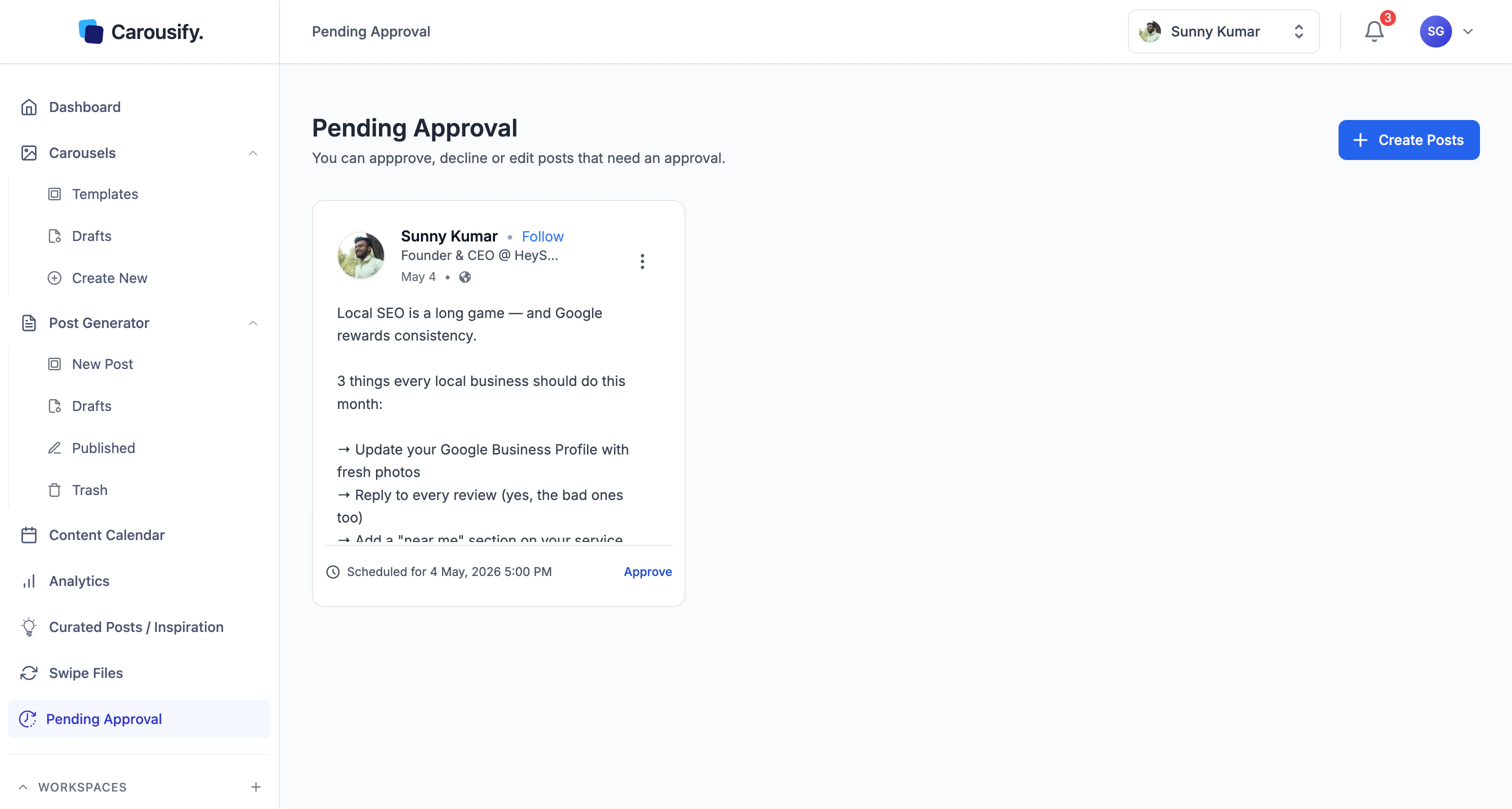
Approve, edit, or decline
Each pending post has three actions. The primary Approve button sits on the card; Edit and Decline are tucked under the kebab menu in the top-right corner of the card.
| Action | What happens |
|---|---|
| Approve | Post is released. If it was scheduled, it publishes at its scheduled time. If the writer hit Publish (not Schedule), it goes live immediately. |
| Edit | Opens the post in the editor. Make changes, save, and the post stays in Pending until you approve it. |
| Decline | Sends the post back to the writer as a draft. Nothing publishes. |
What’s next
Roles and permissions
Toggle Requires Approval on the roles you want gated, or build a custom approver tier.
Invite team members
Add writers under a role with Requires Approval on so their work routes through review.
Content Calendar
Spot-check the queue after approving.
Manage clients
Combine approval with client workspaces for ghostwriter / agency setups.