

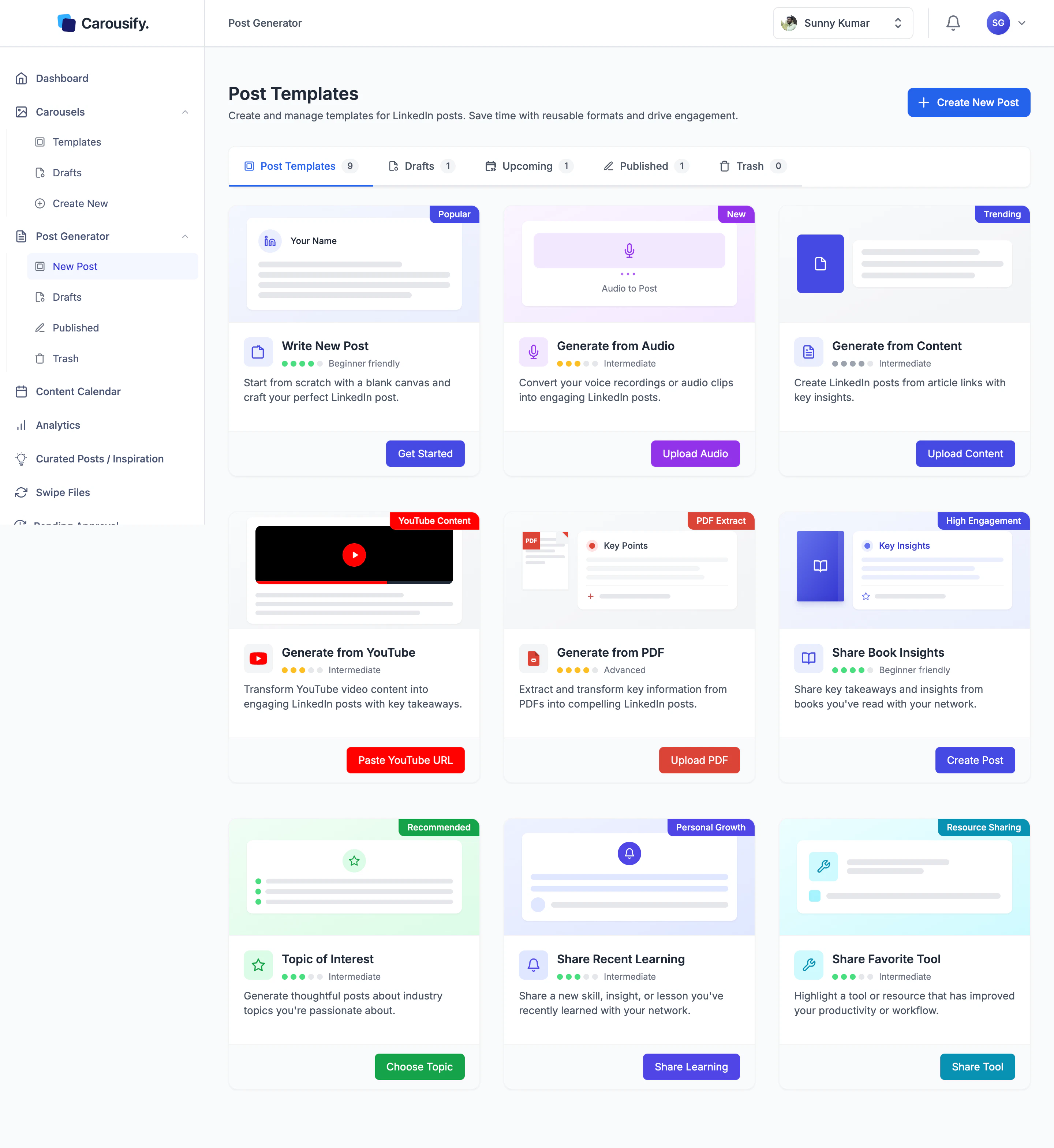
Where to find it
In the left sidebar, open the Post Generator group.| Page | What it is |
|---|---|
| New Post | The templates gallery — your nine starting points. |
| Drafts | Posts you’ve saved but not yet scheduled or published. |
| Published | Everything already live on LinkedIn, plus posts scheduled to go live. |
| Trash | Deleted drafts and posts. Restore from here or empty for good. |
Nine ways to start
Write New Post
Blank canvas. Type the post yourself with formatting and a live LinkedIn preview.
Generate from Content
Paste an article URL and AI drafts a post from the piece.
Generate from Audio
Upload a voice note. Carousify transcribes it and turns it into a post.
Generate from YouTube
Paste a YouTube link. AI reads the video description and drafts a post off it.
Generate from PDF
Upload a research paper, ebook, or report — get a post built from the highlights.
Share Book Insights
Quick prompt for sharing takeaways from a book you’ve read.
Topic of Interest
Pick an industry topic and get a thoughtful post drafted around it.
Share Recent Learning
Turn a new skill, lesson, or insight into a personal-growth post.
Share Favorite Tool
Highlight a tool or resource that’s improved your workflow.
Every starting point ends in the same writer, but each runs its own input step and AI prompt to get there — Generate from PDF is not the same prompt as Generate from YouTube. Once the draft is in the editor, you can edit anything AI produced line by line before publishing.
What’s next
Write a new post
Walk through the editor — formatting, slash-command AI, and the live LinkedIn preview.
Generate from source
Audio, articles, YouTube, and PDF generators in one walkthrough.
Curated Posts
Auto-generated post ideas refreshed on the days you choose.
Formatting and preview
Bold, italic, lists, and how the LinkedIn preview renders each.
Schedule a post
Queue your finished post at a peak time for your timezone.