

When to use webhooks vs other integrations
| You want to… | Use |
|---|---|
| Get notified in a Slack channel | Slack integration |
| Pipe events into Google Sheets, Airtable, Teams, or 5,000+ apps | Zapier integration |
| Hit your own server, run custom logic, write to your own database | Webhooks (this page) |
| Run Carousify actions from Claude, Codex, VS Code, or Antigravity | MCP server |
Events
Carousify exposes the following events. You can subscribe one webhook to any combination of them.| Event | Fires when |
|---|---|
| Post Scheduled | A post is queued for a future date and time. |
| Post Published | A post goes live on LinkedIn (instant or scheduled). |
| Post Publish Failed | LinkedIn rejected the post or auth expired before publishing. |
Where to find it
In the left sidebar, open Manage Workspace › Webhooks.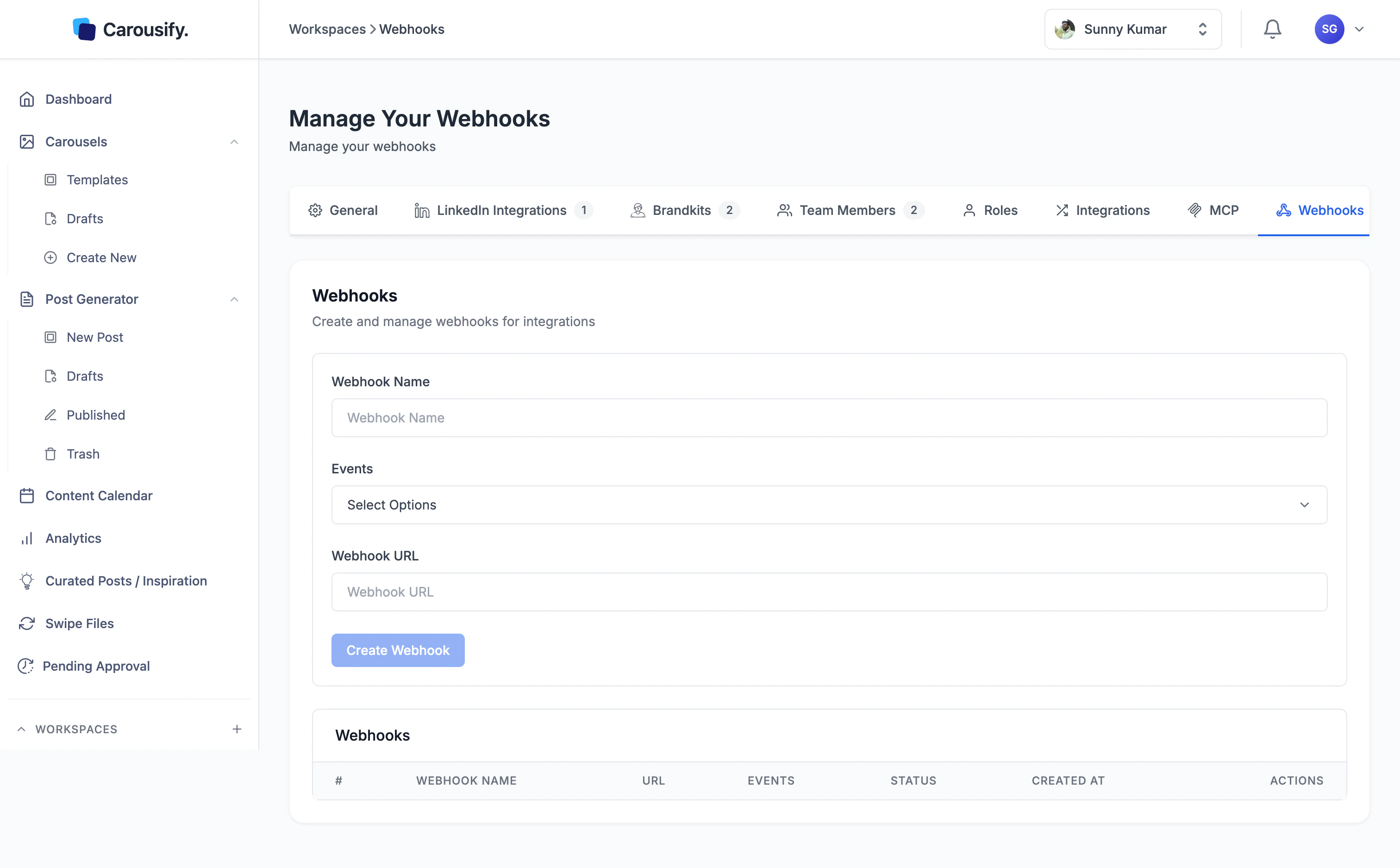
- Create form at the top — name, events, and URL.
- Webhooks table below — every webhook you’ve created, with its status, events, created date, and actions to edit or delete.
Webhooks are scoped to a single workspace. If you run a workspace per client, set webhooks up inside each workspace separately — they don’t carry across.
Step 1 — Stand up an endpoint
You need an HTTPS URL that accepts aPOST request with a JSON body. It can be:
- A route in your own app (Express, FastAPI, Rails, Laravel — anything that speaks HTTP).
- A serverless function (Cloudflare Workers, AWS Lambda + API Gateway, Vercel Functions).
- A no-code receiver like webhook.site for testing — generate a unique URL, paste it in, fire a test event, and inspect the body.
webhook.site URL while we wire things up.
Step 2 — Fill in the create form
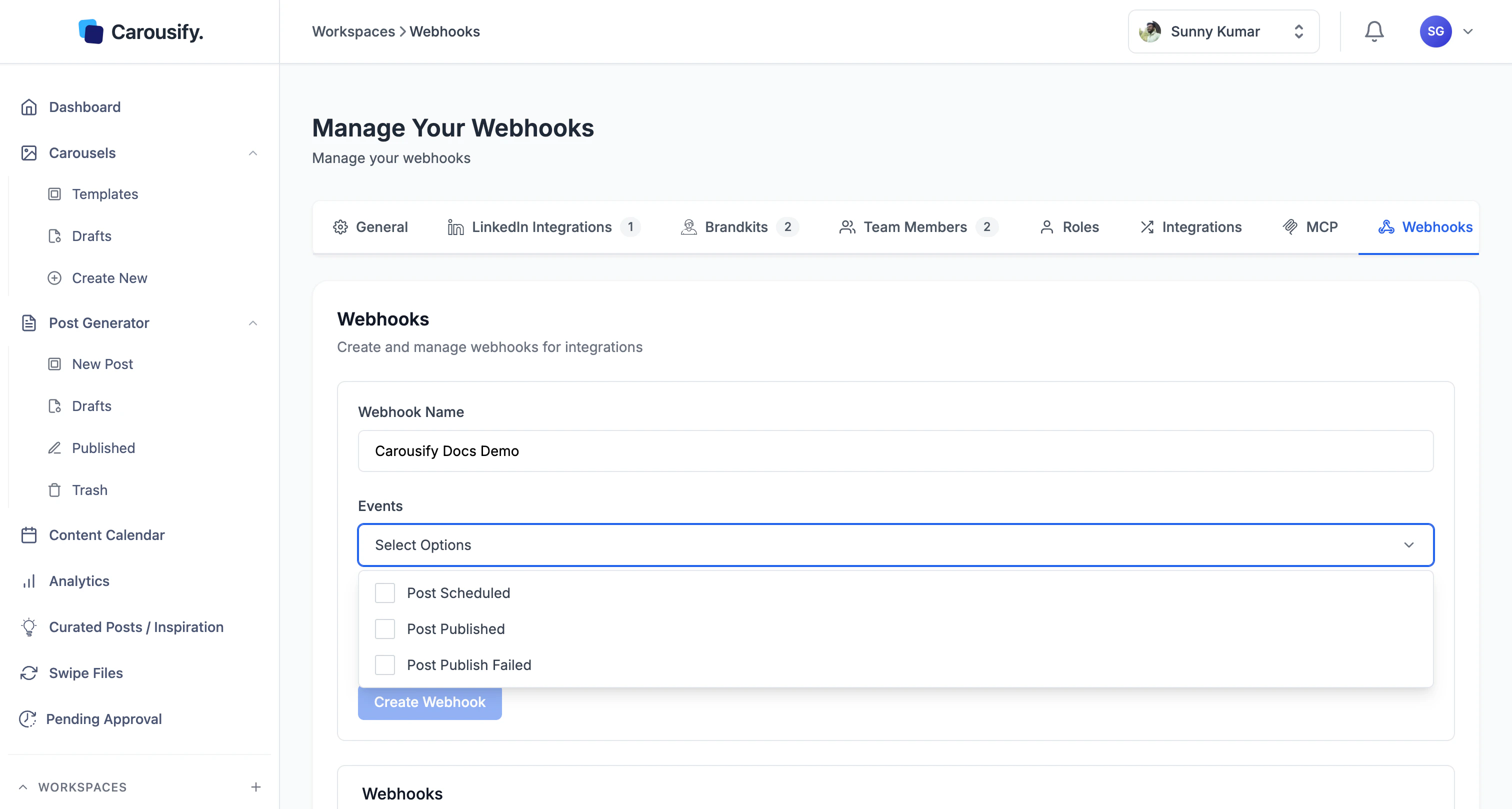
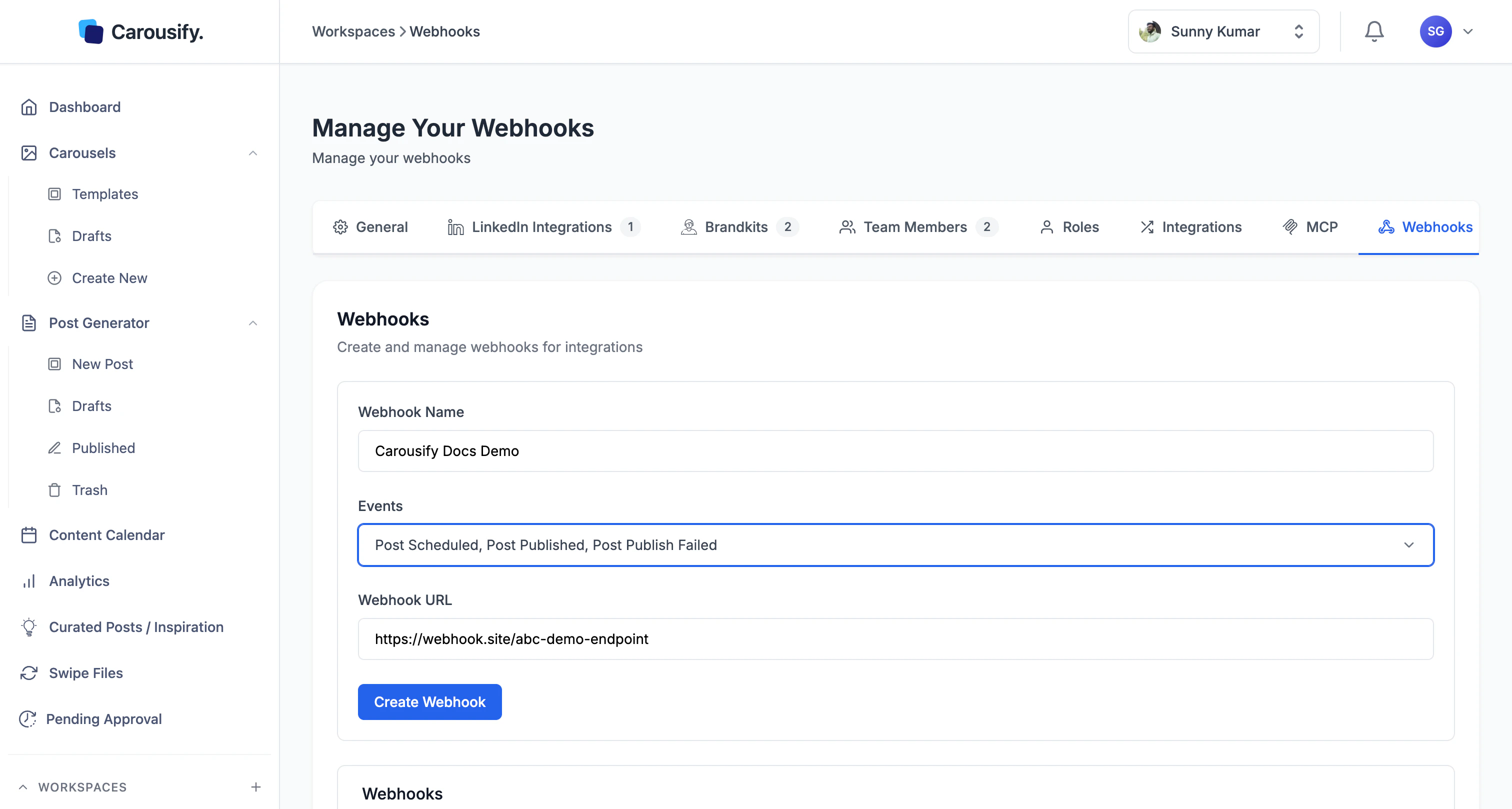
Back on the Webhooks page in Carousify:- Webhook Name — a label you’ll recognize later (e.g.
CRM enrichment,Internal dashboard). It’s only shown inside Carousify. - Events — click the dropdown and tick any combination of Post Scheduled, Post Published, and Post Publish Failed.
- Webhook URL — paste the HTTPS endpoint from Step 1.
On non-Enterprise plans, Create Webhook opens an upgrade modal instead of saving. Reach out to Support if you’d like to talk through pricing.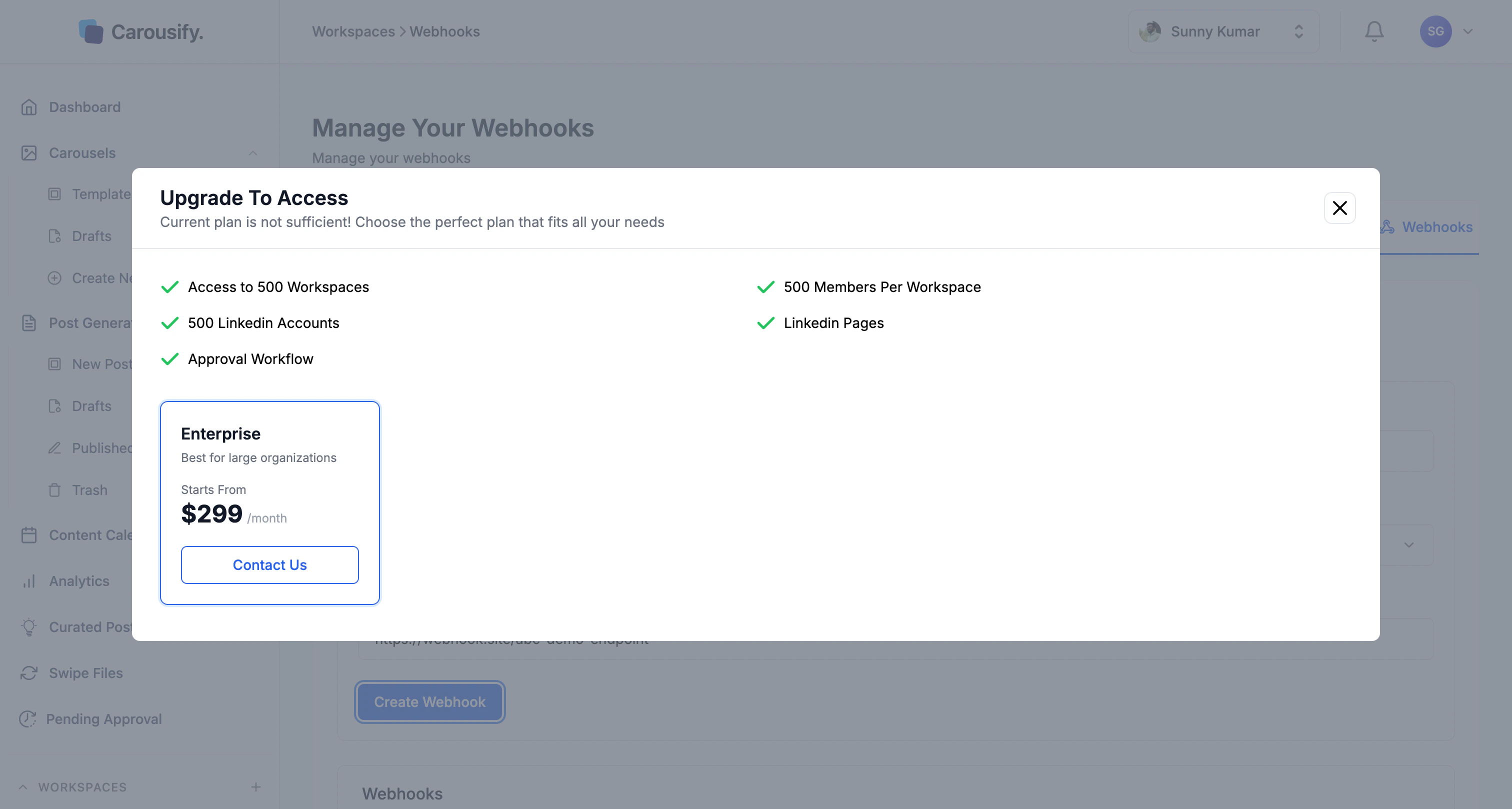
Step 3 — Trigger a test event
The fastest way to confirm the wiring is to schedule a real post in Carousify:- Open New Post and draft anything — even one line of text.
- Schedule it for a minute or two from now.
- Within seconds you’ll see a Post Scheduled request hit your endpoint. When the scheduled time arrives, you’ll see Post Published (or Post Publish Failed if LinkedIn rejected it).
Request shape
Carousify sends aPOST request with Content-Type: application/json. Every event delivers the same envelope, so you can write one handler and switch on event:
Field reference
| Field | Type | Notes |
|---|---|---|
event | string | post.scheduled, post.published, or post.failed. |
timestamp | number | Unix milliseconds — when the event fired. |
data.id | string | Internal Carousify post ID. |
data.workspaceId | string | Workspace the post belongs to. |
data.userId | string | Carousify user who created the post. |
data.accountType | string | profile or pages. |
data.accountId | string | LinkedIn member or organization identifier (e.g. ACoAAB12Cd3...), not the vanity name. |
data.content | string | Post body text. |
data.title | string | Post title if set, often empty. |
data.media | string[] | URLs of images or videos attached to the post. |
data.status | string | scheduled, published, or failed. |
data.postUrn | string | LinkedIn URN — only present once a post is live. |
data.utmCampaign | string | UTM campaign value if link tracking was on. |
data.postingTime | ISO 8601 | When the post is/was scheduled to publish. |
data.createdAt | ISO 8601 | When the post record was created in Carousify. |
data.updatedAt | ISO 8601 | Last modification timestamp. |
Responding to a delivery
A few things to keep in mind when writing your handler:- Reply with
2xxquickly. Acknowledge the webhook first, then queue any heavy work (CRM lookups, AI calls, database writes) to run asynchronously. Holding the request open while you do that work makes deliveries slow and risks timeouts. - Make handlers idempotent. Use
data.idpluseventas a dedupe key — if the same(id, event)pair shows up twice, treat the second as a no-op. Retries on transient failures are normal across any webhook system. - Don’t trust the source IP. Pin authenticity to a shared secret in the URL instead — e.g.
https://yourapp.com/hooks/carousify?token=...— and reject requests where the token doesn’t match.
Managing existing webhooks
The table below the form lists every webhook in this workspace with its name, URL, subscribed events, status, and created date. Use the Actions column to edit or delete a webhook. Deleting it stops deliveries immediately.Troubleshooting
- No requests arriving at my endpoint. Confirm the URL in Carousify ends in
https://, the endpoint is publicly reachable (curl it from a laptop, not localhost), and the webhook status is Active. Schedule or publish a post to fire a fresh event. - Endpoint returns 200 but I don’t see the data. You’re likely reading the wrong field. Carousify always wraps the post under
data— log the full body before parsing. - Endpoint times out, then receives duplicate deliveries. Expected — those are retries. Make your handler idempotent (see above) and shorten its response time by deferring work to a queue.
- “Create Webhook” opens an upgrade modal. Webhooks aren’t included on your current plan. Use the Slack or Zapier integrations in the meantime — both cover the same events.
- Receiving events for posts I don’t expect. Webhooks are workspace-scoped. If you’re managing multiple clients via separate workspaces, each one needs its own webhook configured.
What’s next
Zapier integration
Same events delivered through Zapier — no code, 5,000+ destinations.
Slack integration
Pipe events into a Slack channel without standing up an endpoint.
MCP server
Drive Carousify from Claude or VS Code — built on the same API.
Schedule a post
Trigger your first Post Scheduled event and confirm delivery.