

What you can do
A few of the workflows teams use the Carousify MCP server for:| Use case | Example prompt |
|---|---|
| Draft and schedule posts from a chat | ”Write a LinkedIn post about our new feature and schedule it for Tuesday 9 AM IST.” |
| Pull recent performance | ”Show me my top three posts from the last 14 days.” |
| Plan a content week | ”Look at what I posted last week and draft three follow-ups.” |
| Check publish status | ”Did the post I scheduled this morning go live?” |
Where to find it
In the left sidebar, open Manage Workspace › MCP.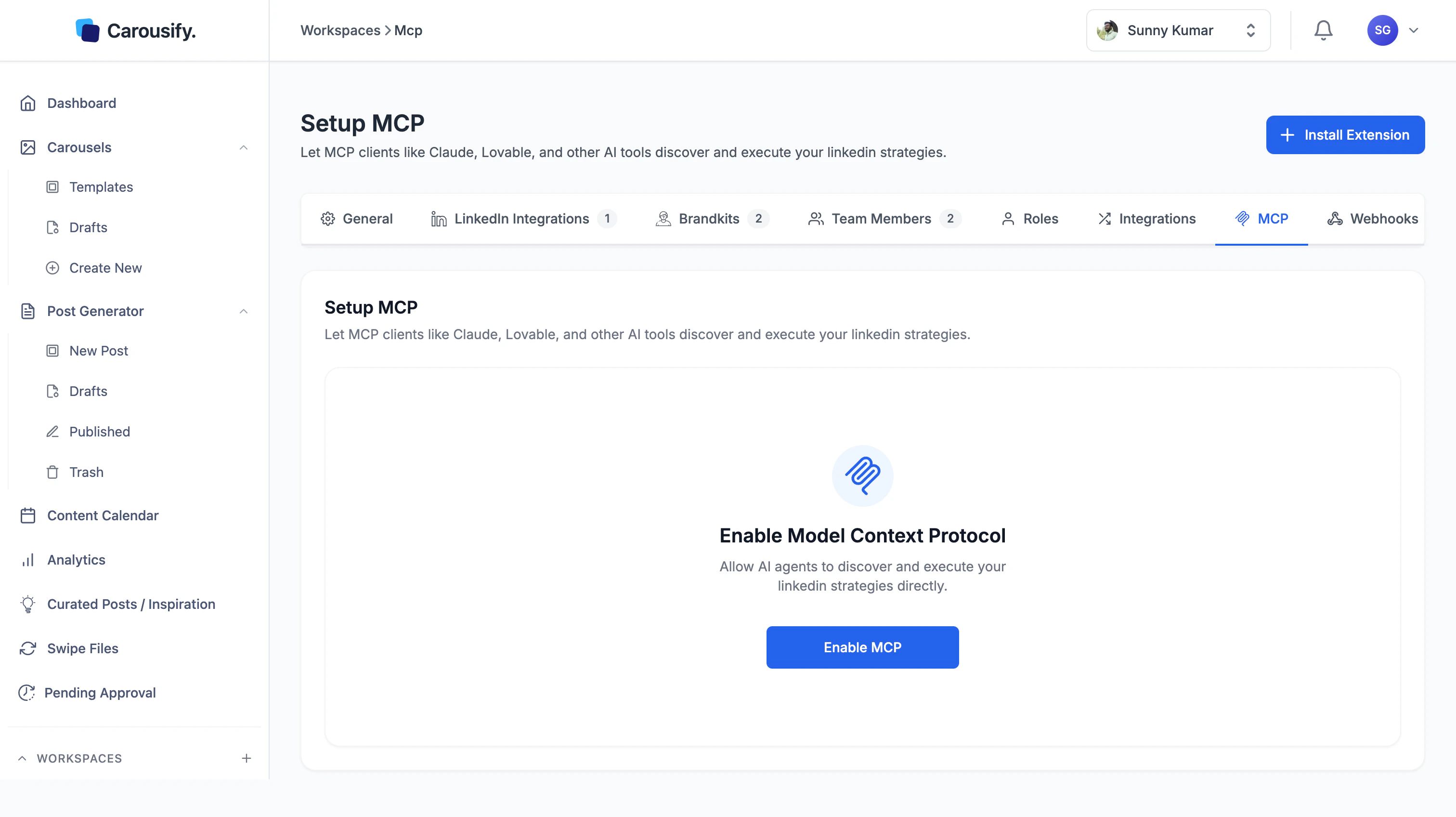
MCP is workspace-scoped. Enable it inside each workspace where you want AI clients to act on your behalf — keys, tools, and access don’t carry across.
How it works
After clicking Enable MCP, Carousify provisions a system key and shows a unique MCP URL for this workspace, along with a tabbed setup guide for the most common AI clients.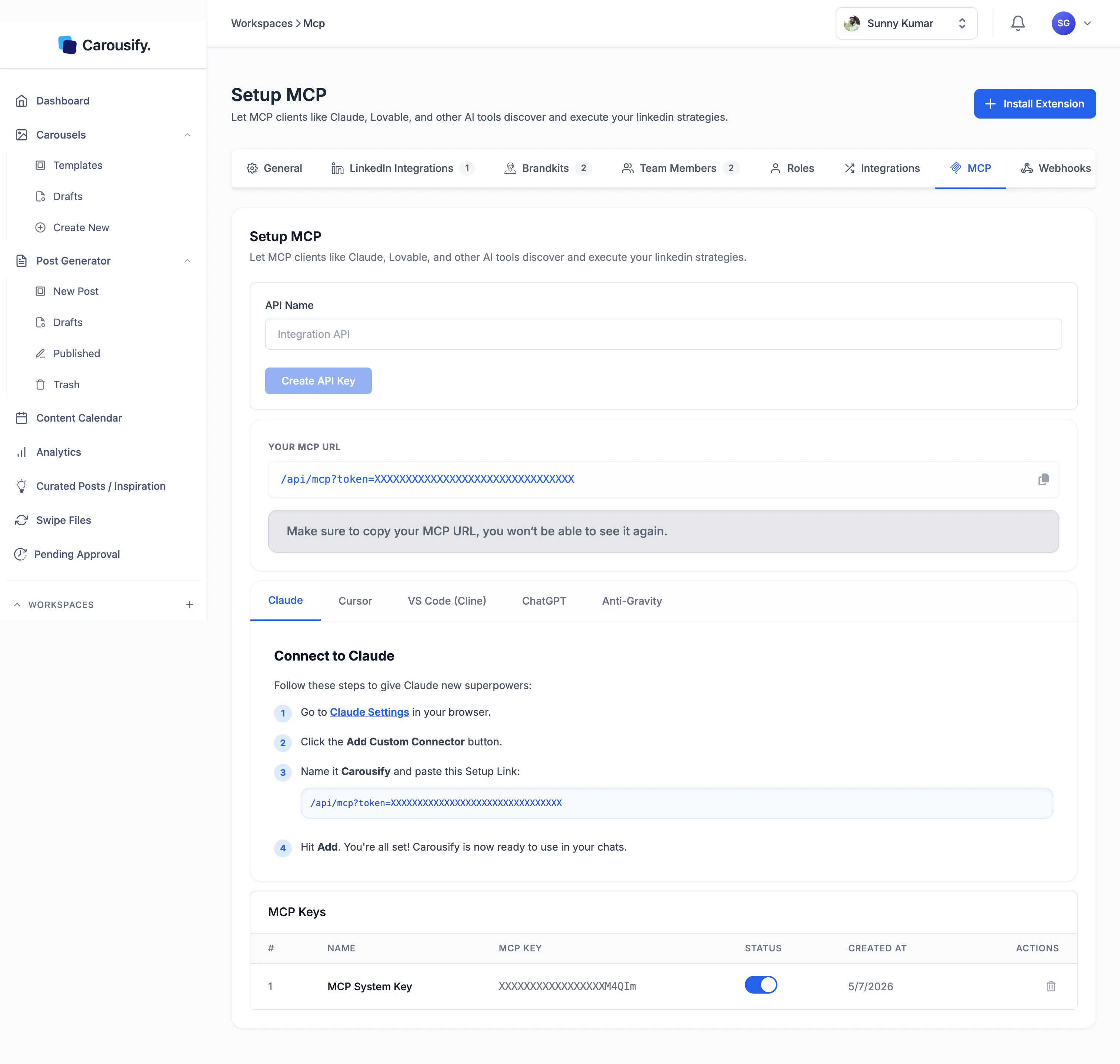
Supported clients
The connection panel ships with built-in setup guides for Claude, VS Code, ChatGPT, and Antigravity. Other MCP-compatible clients (Codex, Windsurf, custom agents) work too — the Carousify server uses an SSE transport, so any client that accepts an SSE-based MCP endpoint can connect by pasting the same URL.Managing keys
The MCP Keys table at the bottom of the page shows every key issued for this workspace, with status, created date, and a delete action.- Toggle the status switch to disable a key without deleting it. Disabled keys reject new MCP requests immediately — useful when you want to pause access without losing the audit trail.
- Delete the row to permanently revoke. Any client still pointed at that URL will start failing.
- Issue a new key by typing a label into API Name (e.g.
claude-laptop,vscode-work) and clicking Create API Key. Each key gets its own URL, so you can hand out one per client or per teammate and revoke them individually.
What’s next
Connect Claude
Step-by-step custom connector setup for Claude web and desktop.
Webhooks
Push events to your own backend instead of pulling them from an AI client.
Zapier integration
Same events, no code, 5,000+ destinations.
Slack integration
Get publish alerts in a Slack channel without standing up an endpoint.