

SMTP is part of whitelabel, an Enterprise feature, and applies once whitelabel is Active (see Whitelabel overview). On other plans, contact Support to enable it at an additional charge.
Set it up
Open Settings › Whitelabeling and find the Email (SMTP) section.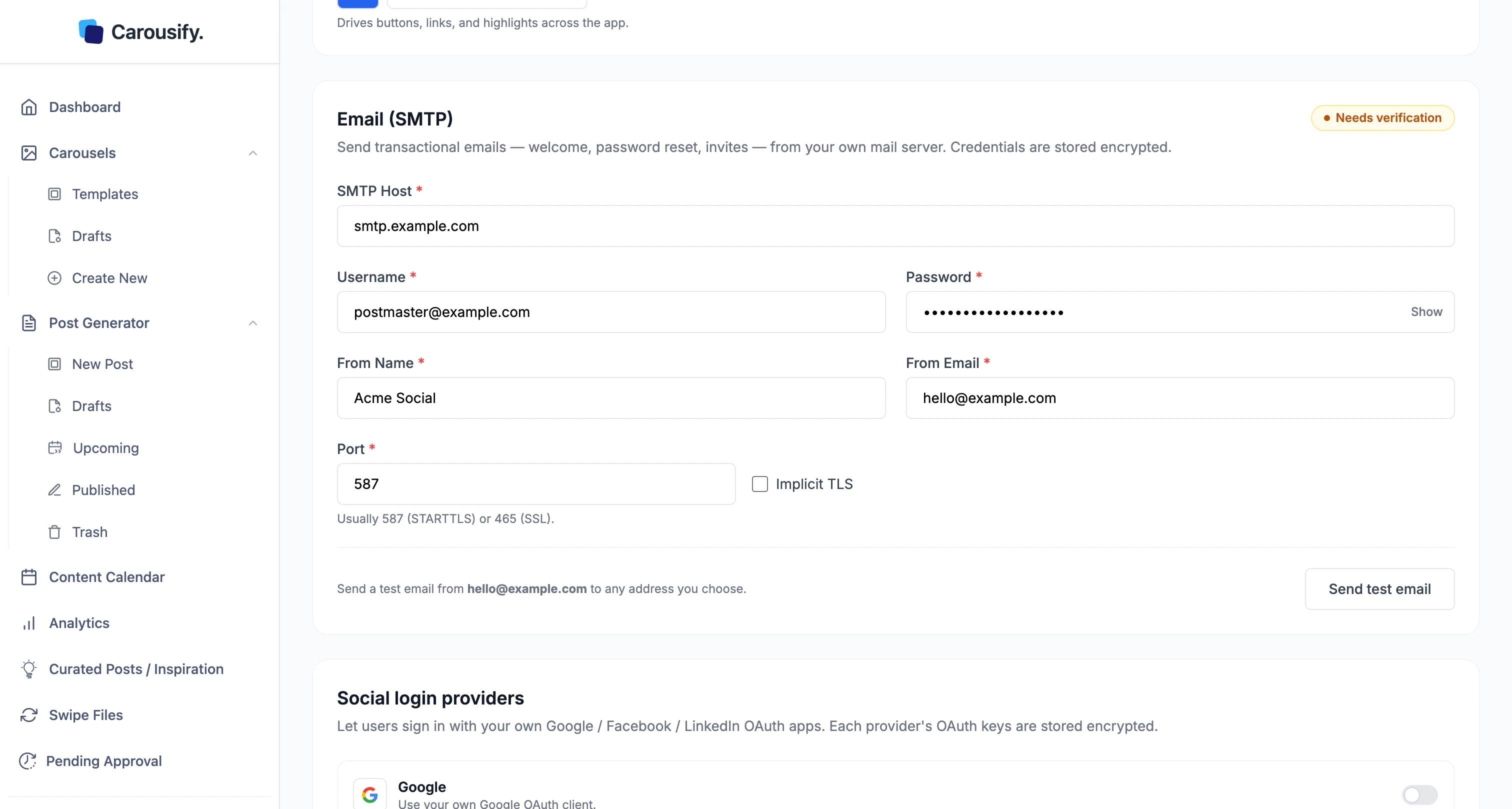
| Field | Value |
|---|---|
| SMTP Host | Your provider’s server, e.g. smtp.mailgun.org. |
| Username / Password | Your SMTP login. Use Show to check the password. |
| From Name / From Email | The sender recipients see. |
| Port | 587 (STARTTLS) or 465 (SSL — turn on Implicit TLS). |
Test before it saves
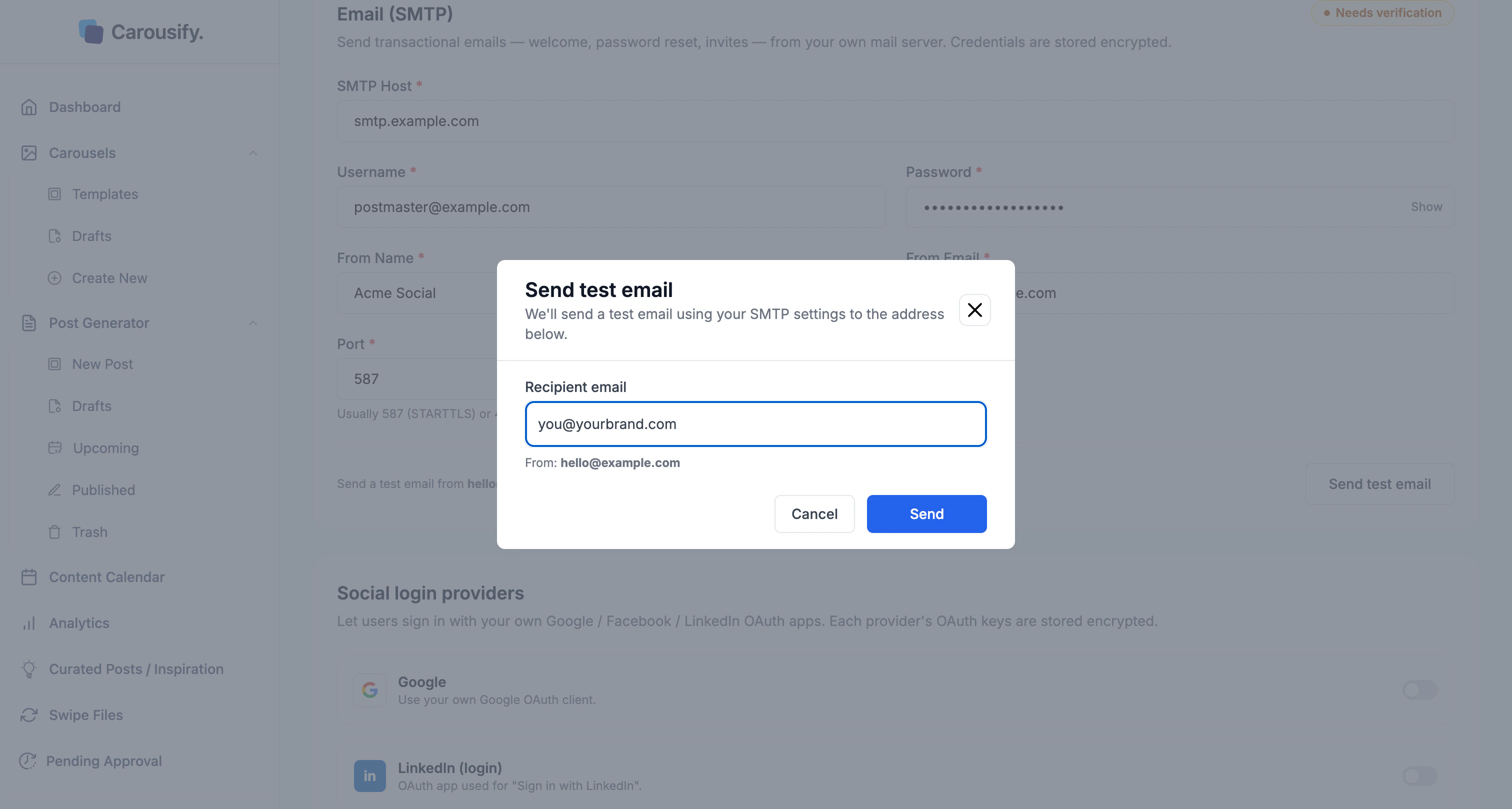
Once the fields are filled, the status changes to Needs verification. Carousify makes you send a working test email before the settings save — so a wrong host or credential is caught now, not by a client.Send and check the inbox
Adjust the recipient if you like, click Send, and confirm the email arrives.
What’s next
Branding
Logo, favicon, name, and accent color.
Custom domain
Serve the app from a domain you own.
Whitelabel overview
How SMTP fits the whitelabel setup.
Manage clients
Run client workspaces in your branded setup.